

Booking.com often does not pass the guest phone number to MyStay (it no longer sends phones through channel managers). Importing a reservations export fills in phone numbers on reservations that already exist in MyStay so you can send SMS to guests.
What you need
Access to the Booking.com extranet (Reservations)
Access to MyAdmin with permission to work with reservations
A Booking.com reservations export as CSV or XLSX
For related email/domain settings in the Booking.com extranet, see also Booking.com extranet settings.
1. Download the export from Booking.com
In the Booking.com extranet open Reservations.
Download the reservations list (Download) as CSV or XLSX.
Ideally choose a period with upcoming arrivals whose phone numbers you want to fill in.
The file must include the columns Book number, Guest name(s), Check-in, Status and Phone number. Booker country is optional but helps with the correct dialing code. Leave the check-in date exactly as Booking.com exports it.
2. Run the sync in MyAdmin
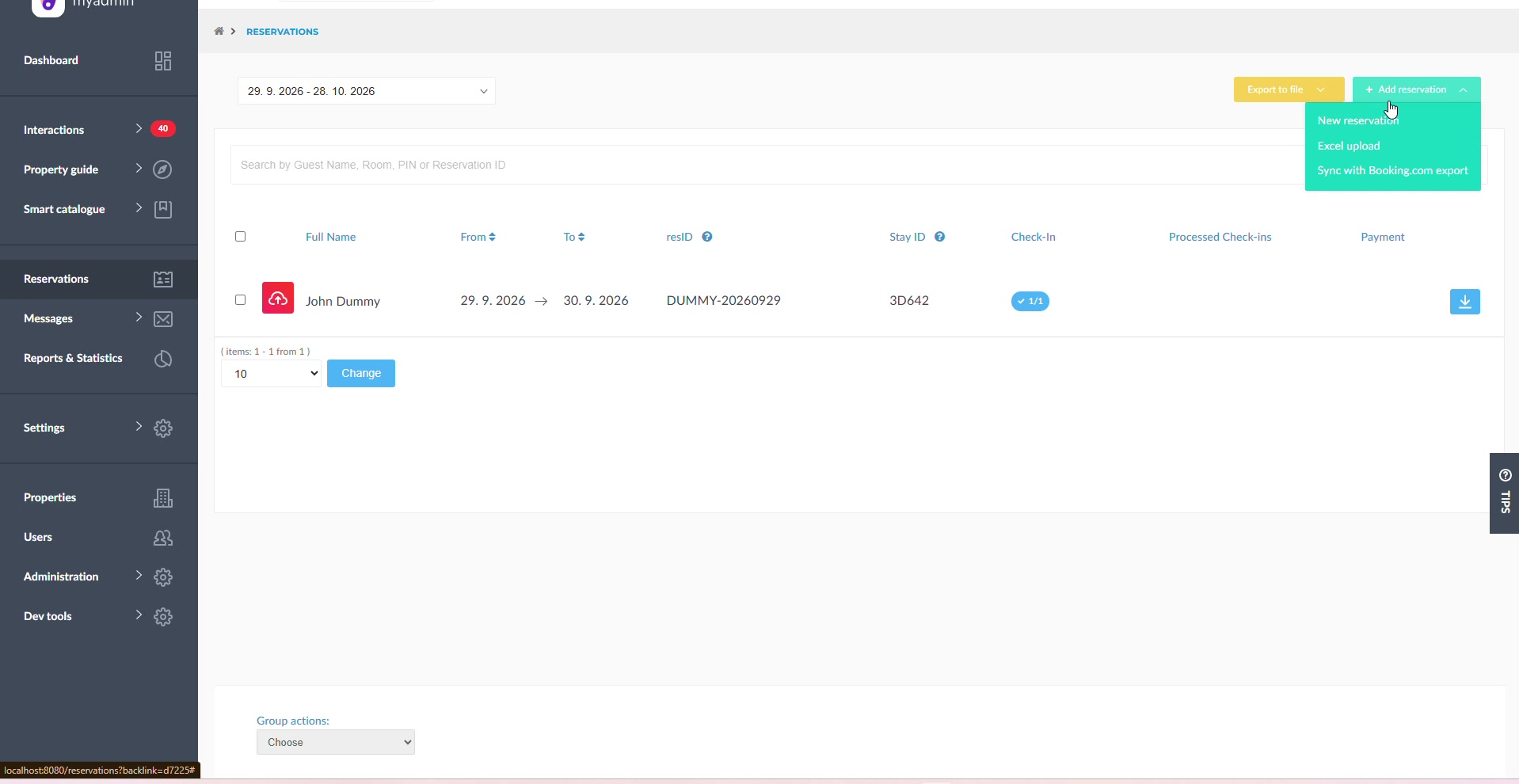
In MyAdmin go to the reservations overview.
Click Add reservation and choose Sync with Booking.com export.
The page Sync phone numbers from Booking.com export opens.
Click Select file, upload the CSV/XLSX, and sync starts automatically right after upload.
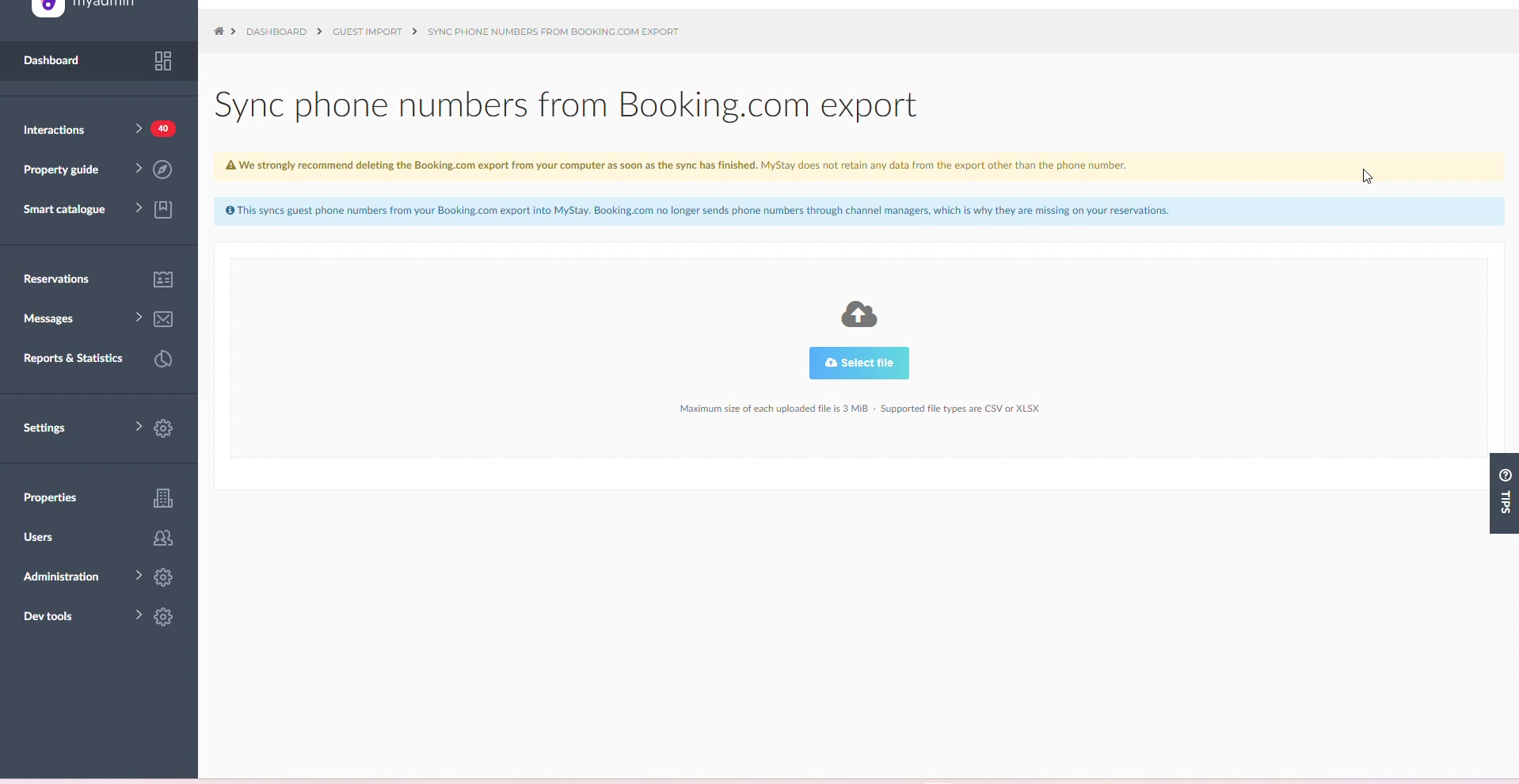
We strongly recommend deleting the Booking.com export from your computer as soon as the sync has finished. MyStay does not retain any data from the export other than the phone number.
3. Check the result
When finished you will see a summary like: Updated: X, skipped: Y, unable to pair: Z.
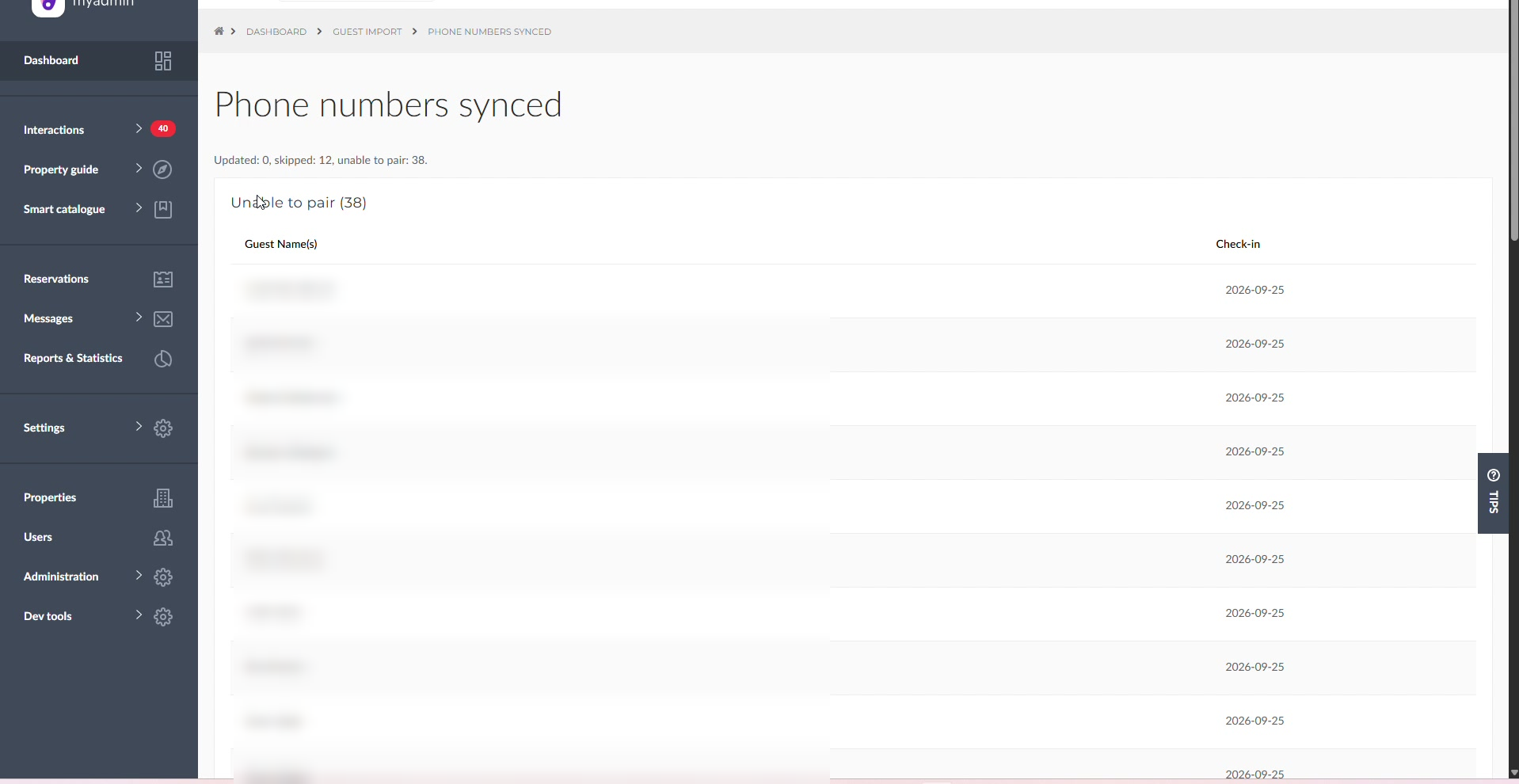
Updated – a phone number was added to the reservation
Skipped – the row was not status OK, or the phone was missing
Unable to pair – MyStay found no unique reservation (name + check-in date); add these phones manually
How reservations are matched
MyStay matches rows by check-in date and the main guest name. First/last name order and diacritics do not matter. Only reservations with status OK that have a phone number are filled in. Cancelled reservations are skipped.
A reservation may stay unpaired when:
there is no reservation in MyStay with that check-in date
the name does not match the main guest
more than one reservation matches the same name on that day
Good to know
A later PMS sync will not remove an imported phone number.
Import does not create new reservations – it only fills phones on existing ones.
You can repeat the same flow anytime with a new export (Sync another file).