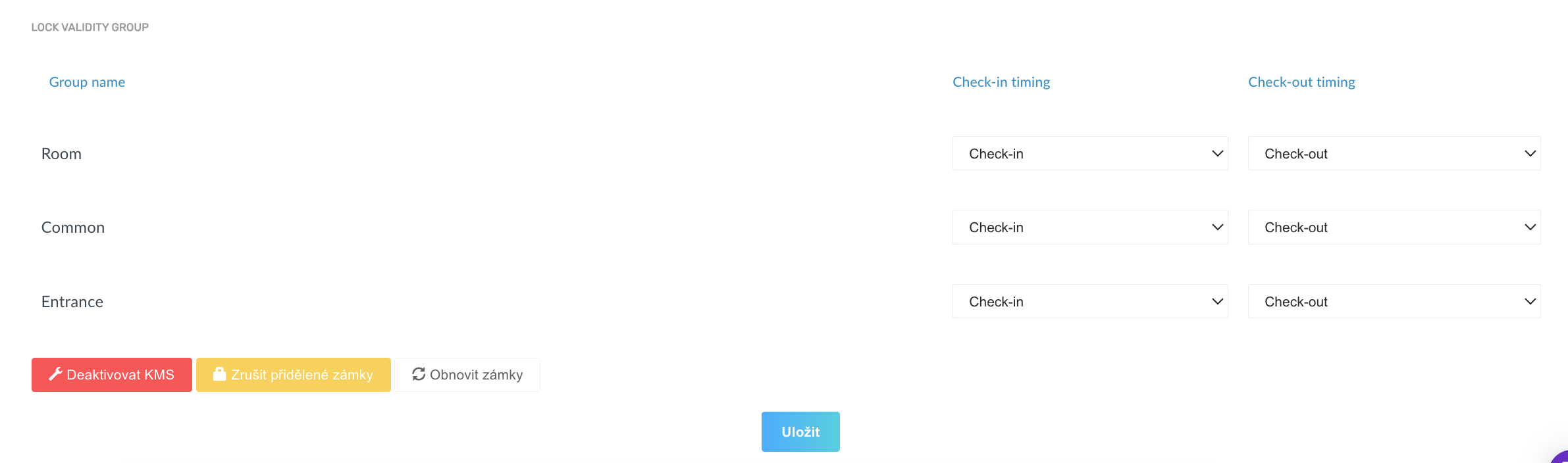

All necessary key settings are done in Admin → Settings, specifically in sections Rooms and Keys.
Room Settings
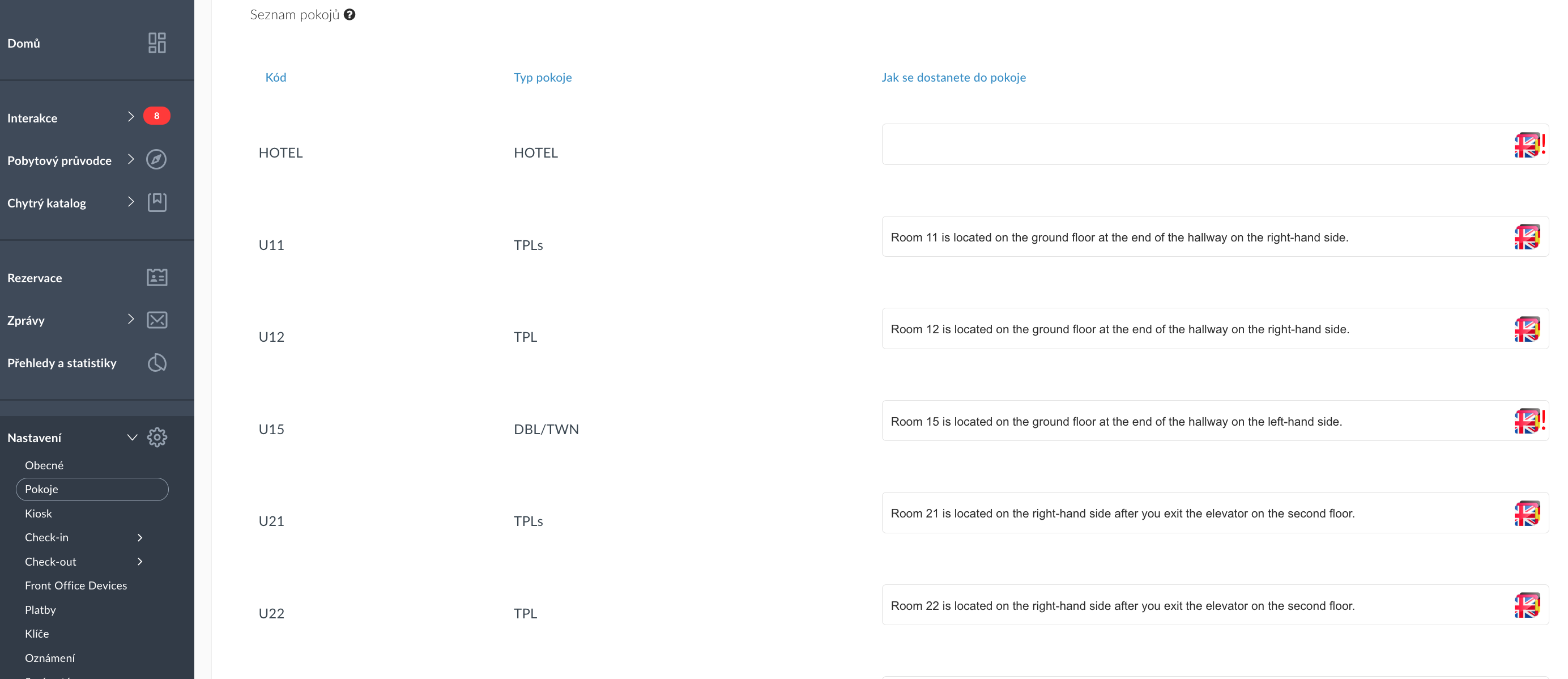
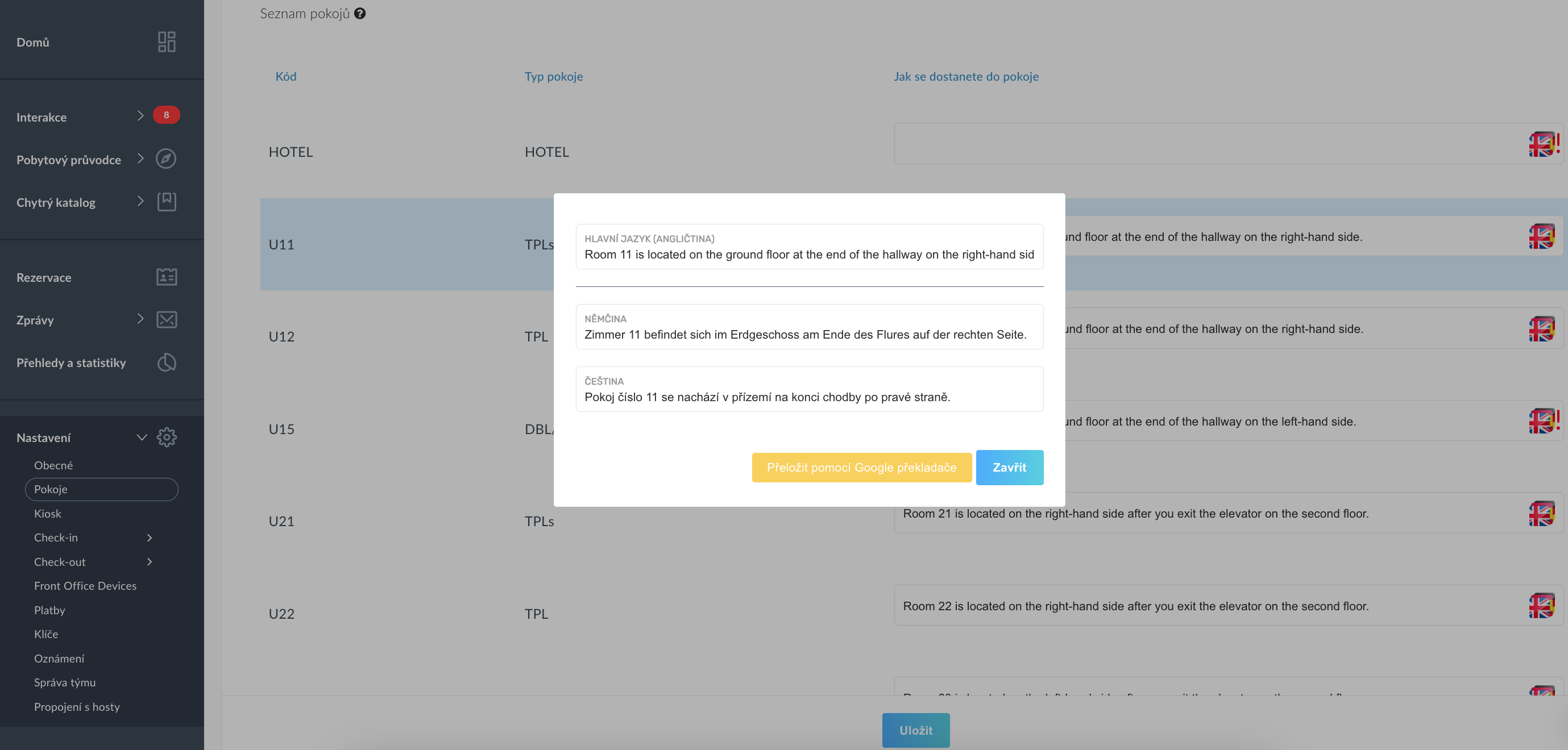
In section Rooms Roll down on List of roomsEach room must be filled in with a description of where the room is located.
Click on the flag icon for translation and fill in the text in all language mutations.
Make sure to save changes
Key Settings
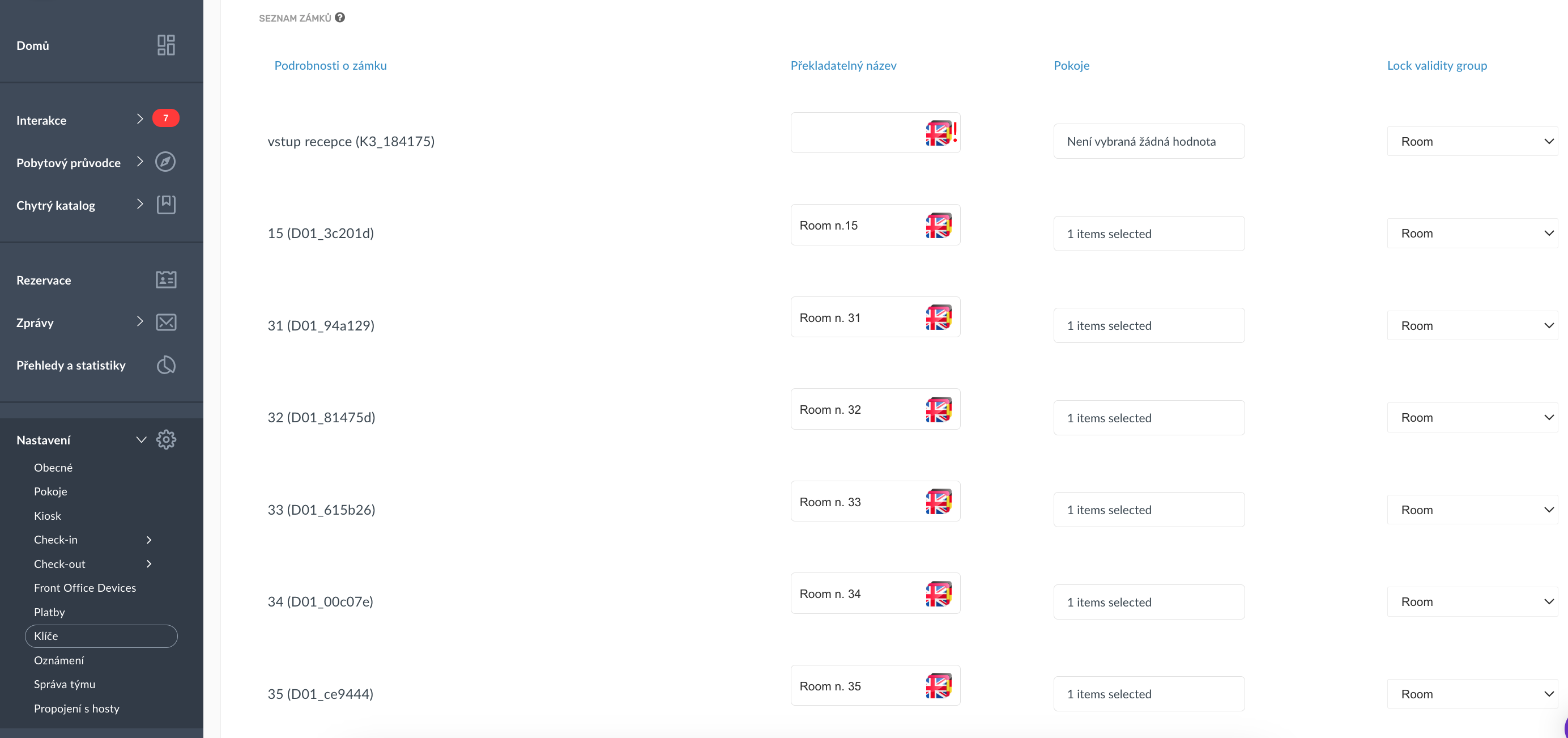
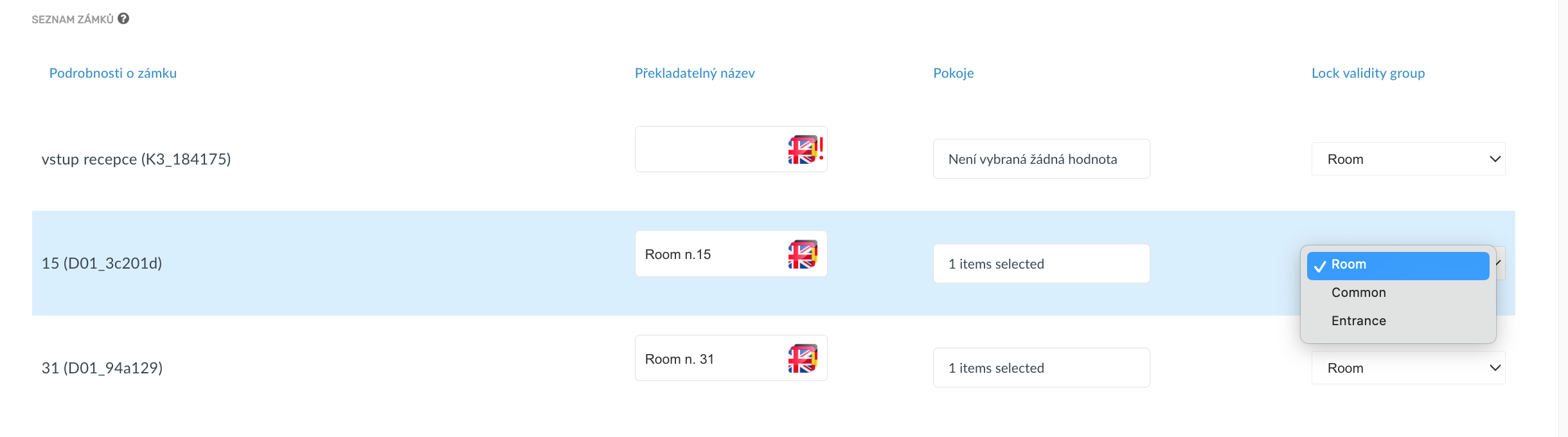
Then go to section Keys and roll down to List of locks.
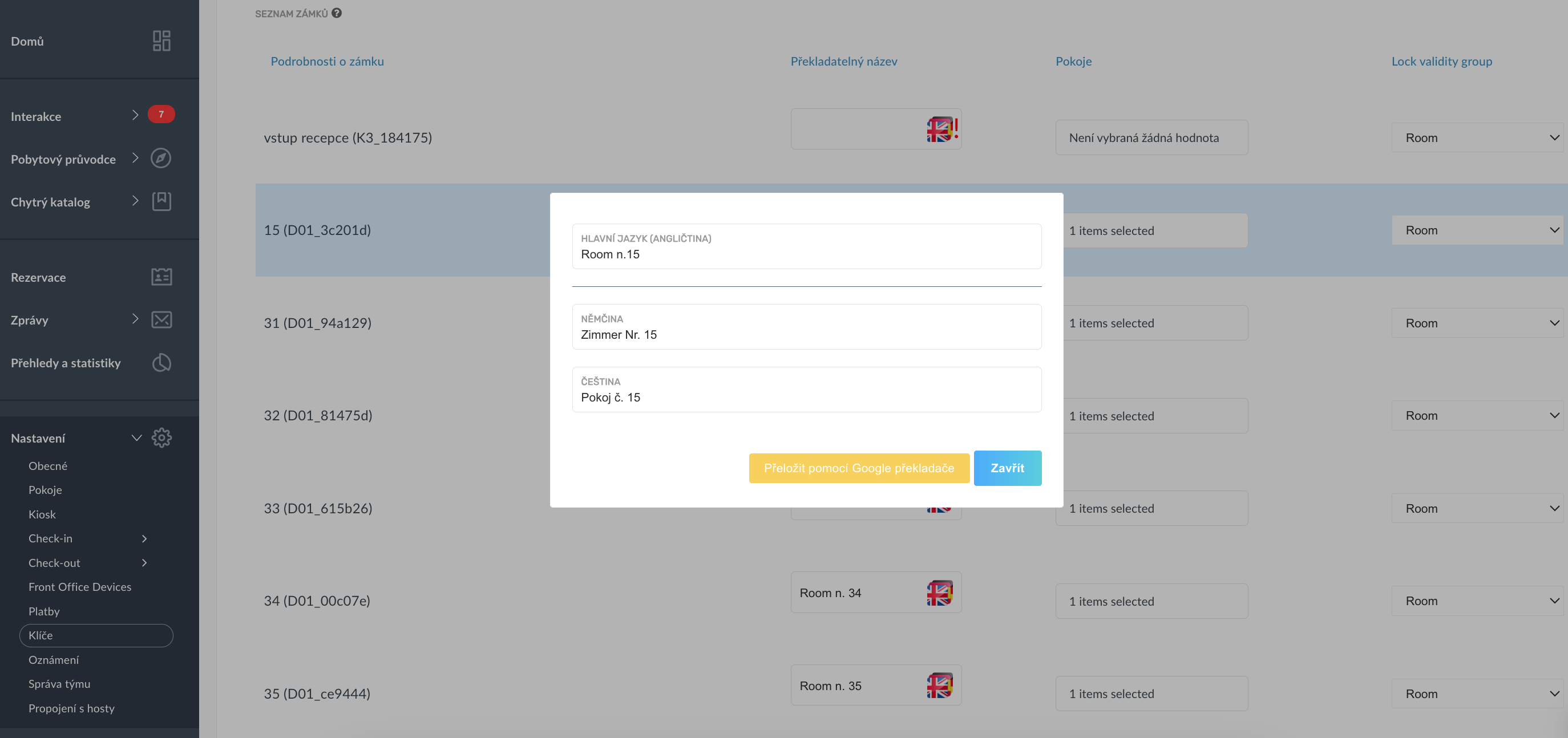
Again click on the flag icon for translation and enter the room name in all language mutations. E.g.: Room 15 / Zimmer 15 / Room 15 ⬇
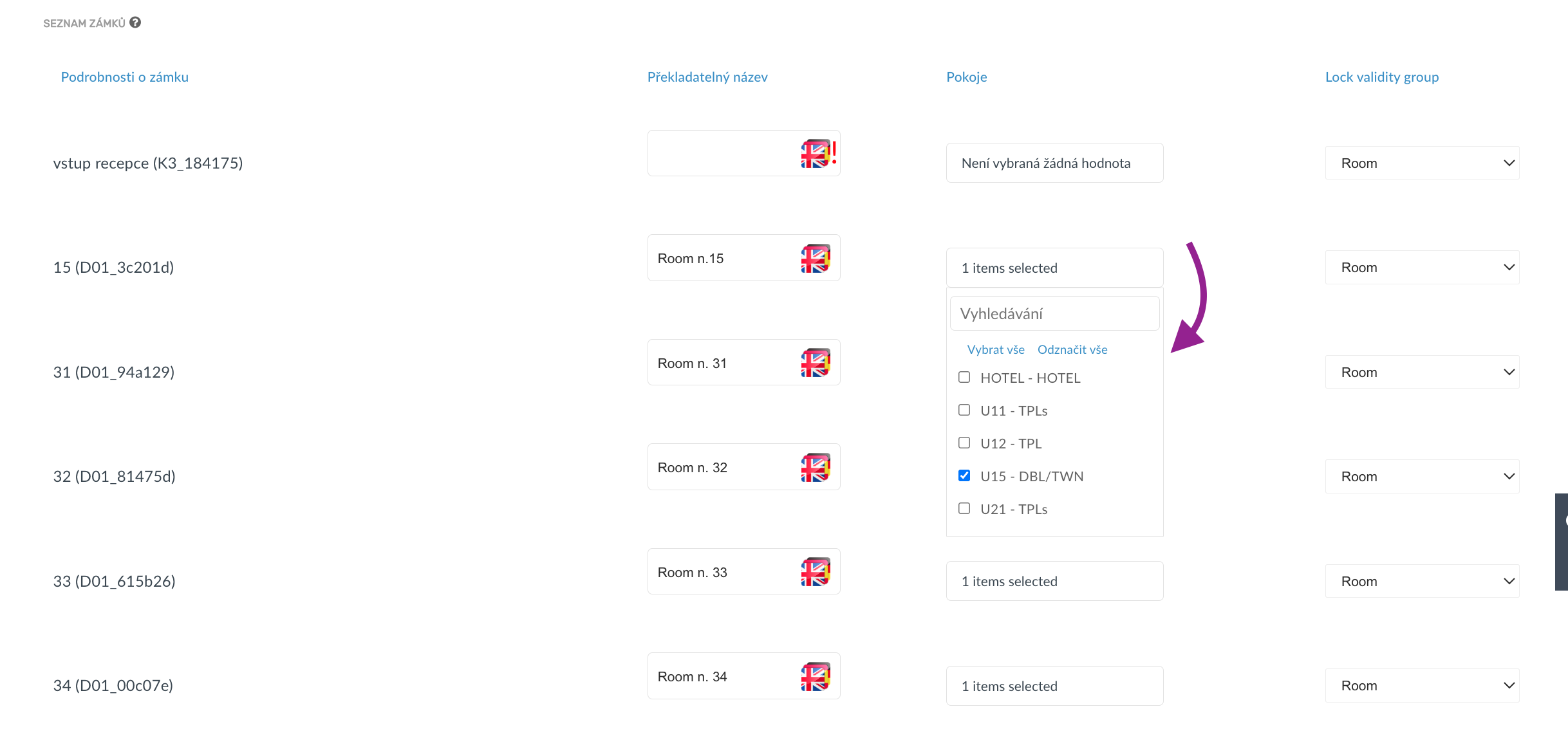
Then pair the lock with the appropriate room, e.g. Castle 15 pair with Room 15 by means of the checkbox, i.e.
In the last column for each lock, choose whether it is:
room
common room
entrance to hotel
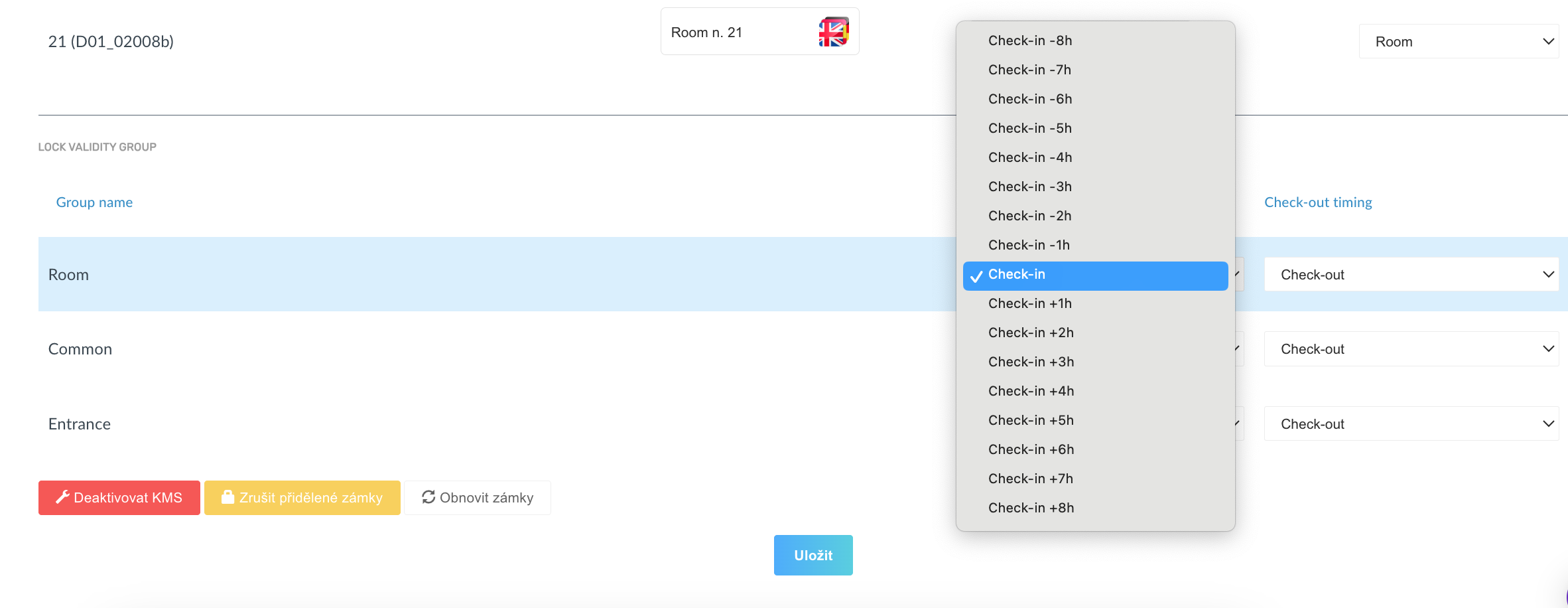
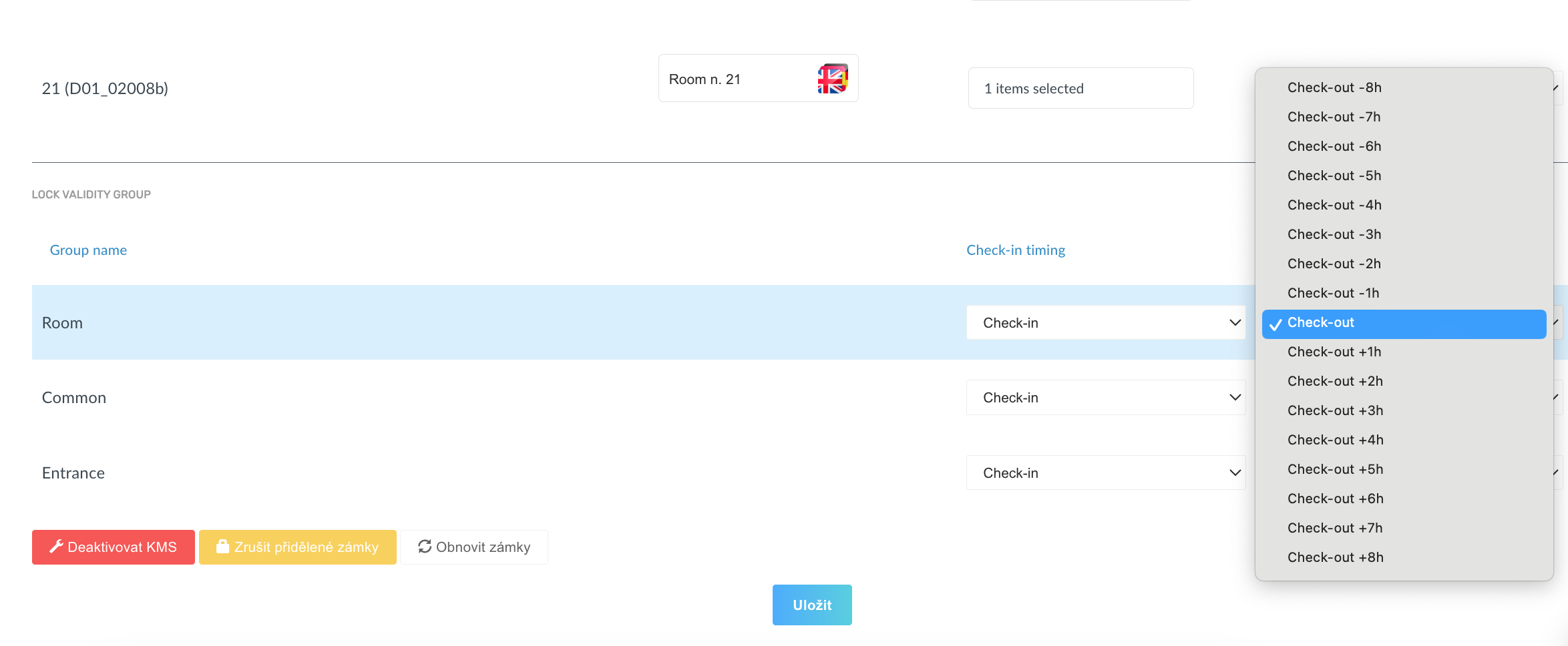
The last step is to set when the guest is allowed to enter the hotel, room or common area - both on arrival and departure.
For example: Entrance / Entry to the hotel valid already one hour before official check-in, select Check-in -1h.